참고
This feature is in 공개 미리 보기 and subject to change.
Prerequisites
- GitHub Code Quality is enabled on the repository.
- Code coverage data is uploaded to GitHub for the pull request branch. See 리포지토리에 대한 코드 검사 설정.
Creating a coverage threshold rule
-
GitHub에서 리포지토리의 기본 페이지로 이동합니다.
-
리포지토리 이름 아래에서 Settings를 클릭합니다. "설정" 탭이 표시되지 않으면 드롭다운 메뉴를 선택한 다음 설정을 클릭합니다.

-
왼쪽 사이드바의 "코드 및 자동화"에서 규칙을 클릭한 다음 규칙 세트를 클릭합니다.
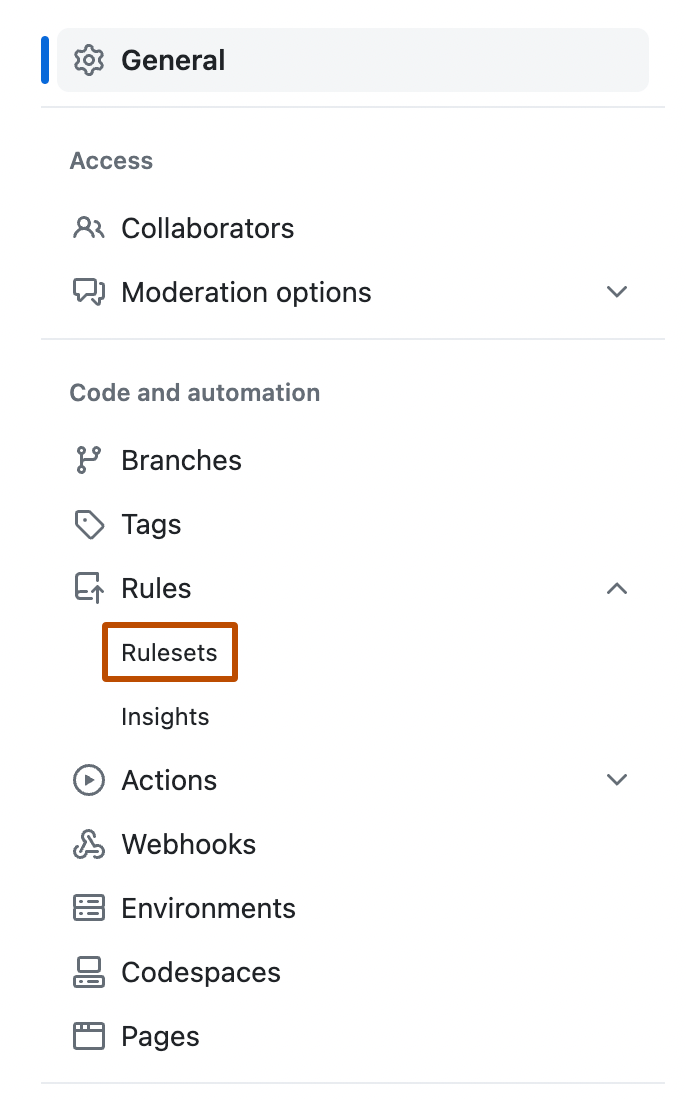
-
Create a new branch ruleset or click an existing one to edit it.
-
Under "Branch rules", select Restrict code coverage.
-
Expand Additional settings to configure thresholds. A value of 0 means that the threshold is disabled.
- Minimum coverage percentage: enter a value to block pull requests where aggregated coverage falls below this percentage.
- Maximum coverage drop: enter a value to block pull requests where coverage drops by more than this many percentage points relative to the default branch.
-
Click Create or Save changes.

